Building Modern Android Apps with Jetpack Compose: Libraries and MVVM Done Right
A practical guide to Retrofit, Hilt, Compose Navigation, and Coil, wired together with MVVM and Kotlin Flows
· 2 min read

Why Jetpack Compose, and why this stack
Jetpack Compose has become Google's recommended standard for building Android UI, replacing the old XML view system. By 2026, most new production apps default to it. But adopting Compose on its own isn't enough to call an app good. A good, production ready app today needs clean state management, a clear separation of concerns through MVVM, and a lean set of libraries that work well together instead of fighting each other.
This post walks through a small but complete example app to show that stack in action: a list screen showing items fetched from a network call, and a details screen showing more information about a selected item, including its image.
The data model
Everything in this example is built around one simple data model representing an item with a name, a description, and an image URL.
data class Item(
    val id: String,
    val name: String,
    val description: String,
    val imageUrl: String
)
Networking with Retrofit
Retrofit is the industry standard for type-safe HTTP calls in Kotlin, and it pairs naturally with coroutines. Here's the API interface for fetching the list of items.
interface ItemApi {
    @GET("items")
    suspend fun getItems(): List<Item>

    @GET("items/{id}")
    suspend fun getItem(@Path("id") id: String): Item
}
Other options here include Ktor, which is a good fit if you're already using Kotlin Multiplatform, or plain OkHttp for lower-level control. We won't cover their implementation in this post, but they're worth knowing about.
Dependency injection with Hilt
Hilt keeps our repository and ViewModel decoupled from how their dependencies get constructed. First, the repository that wraps the API.
class ItemRepository @Inject constructor(
    private val api: ItemApi
) {
    fun getItems(): Flow<List<Item>> = flow {
        emit(api.getItems())
    }

    fun getItem(id: String): Flow<Item> = flow {
        emit(api.getItem(id))
    }
}
Koin is a solid lighter-weight alternative to Hilt if you'd rather avoid annotation processing, but we're standardizing on Hilt for this example.
MVVM: connecting the layers
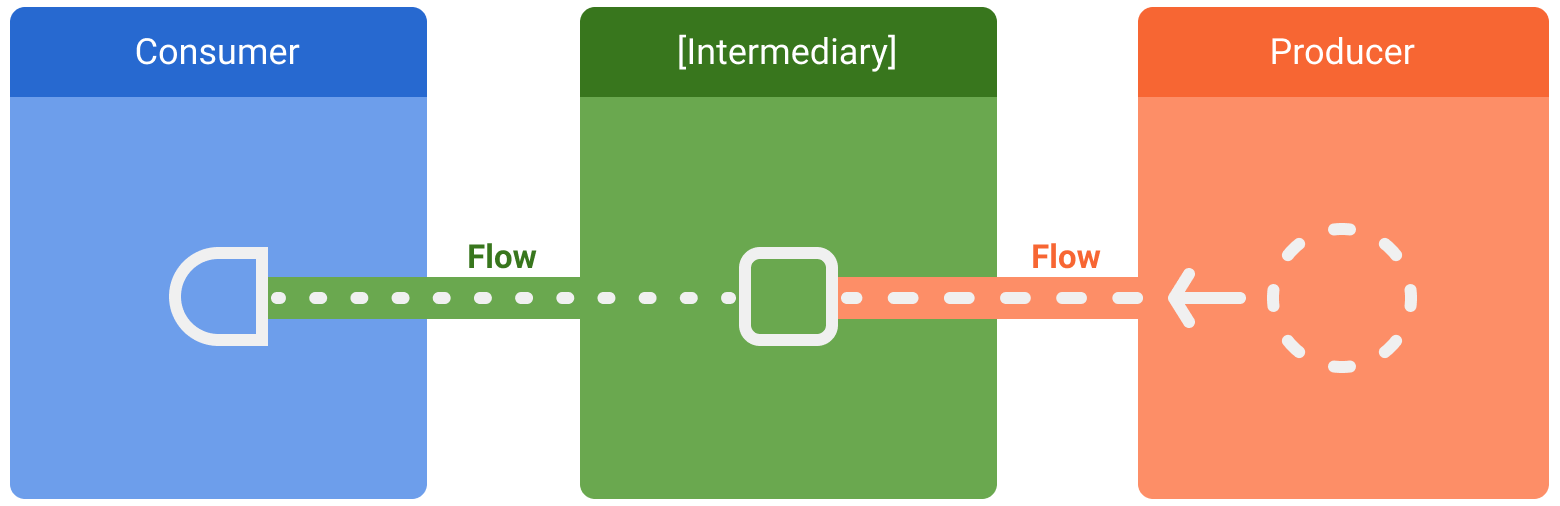
The ViewModel exposes UI state built from the repository, without knowing anything about Retrofit directly.
data class ItemListUiState(
    val items: List<Item> = emptyList(),
    val isLoading: Boolean = false
)

@HiltViewModel
class ItemListViewModel @Inject constructor(
    private val repository: ItemRepository
) : ViewModel() {

    val uiState: StateFlow<ItemListUiState> = repository.getItems()
        .map { items -> ItemListUiState(items = items) }
        .stateIn(
            scope = viewModelScope,
            started = SharingStarted.WhileSubscribed(5000),
            initialValue = ItemListUiState(isLoading = true)
        )
}
Flows: keeping data moving cleanly
Notice the repository already returns a Flow, and the ViewModel converts it into a StateFlow with stateIn. That's the connective tissue between layers: the repository emits, the ViewModel adapts and holds the latest value, and the composable just collects it reactively.
@Composable
fun ItemListScreen(
    viewModel: ItemListViewModel = hiltViewModel(),
    onItemClick: (String) -> Unit
) {
    val uiState by viewModel.uiState.collectAsStateWithLifecycle()

    LazyColumn {
        items(uiState.items) { item ->
            Row(
                modifier = Modifier
                    .fillMaxWidth()
                    .clickable { onItemClick(item.id) }
                    .padding(12.dp)
            ) {
                AsyncImage(
                    model = item.imageUrl,
                    contentDescription = item.name,
                    modifier = Modifier.size(56.dp)
                )
                Spacer(modifier = Modifier.width(12.dp))
                Text(text = item.name)
            }
        }
    }
}
AsyncImage comes from Coil, which handles image loading and caching in a single composable call. Glide is a well-known alternative if you need its specific transformation pipeline, but Coil's Compose-first API is why it's the default pick here.
Navigation between screens
Compose Navigation carries the selected item's id from the list screen to the details screen through the nav graph.
@Composable
fun AppNavHost(navController: NavHostController) {
    NavHost(navController = navController, startDestination = "list") {
        composable("list") {
            ItemListScreen(
                onItemClick = { id -> navController.navigate("details/$id") }
            )
        }
        composable(
            route = "details/{itemId}",
            arguments = listOf(navArgument("itemId") { type = NavType.StringType })
        ) { backStackEntry ->
            val itemId = backStackEntry.arguments?.getString("itemId") ?: return@composable
            ItemDetailsScreen(itemId = itemId)
        }
    }
}
The details screen follows the exact same MVVM and Flow pattern as the list screen, just fetching a single item instead of the full list, and rendering a larger AsyncImage alongside its name and description.
Wrapping up
The full stack here is Jetpack Compose, Retrofit, Hilt, Compose Navigation, and Coil, wired together with MVVM and Kotlin Flows carrying data cleanly from the network up to the UI. It's not the only valid combination, but it's a solid, boring-in-a-good-way default for most Android apps being built today.
Comments
No comments yet.